


The Client Portal is the dashboard you log in to after you place your order. It is where you manage every part of your account with us. This page is the complete list of what you can do there, organized by section.
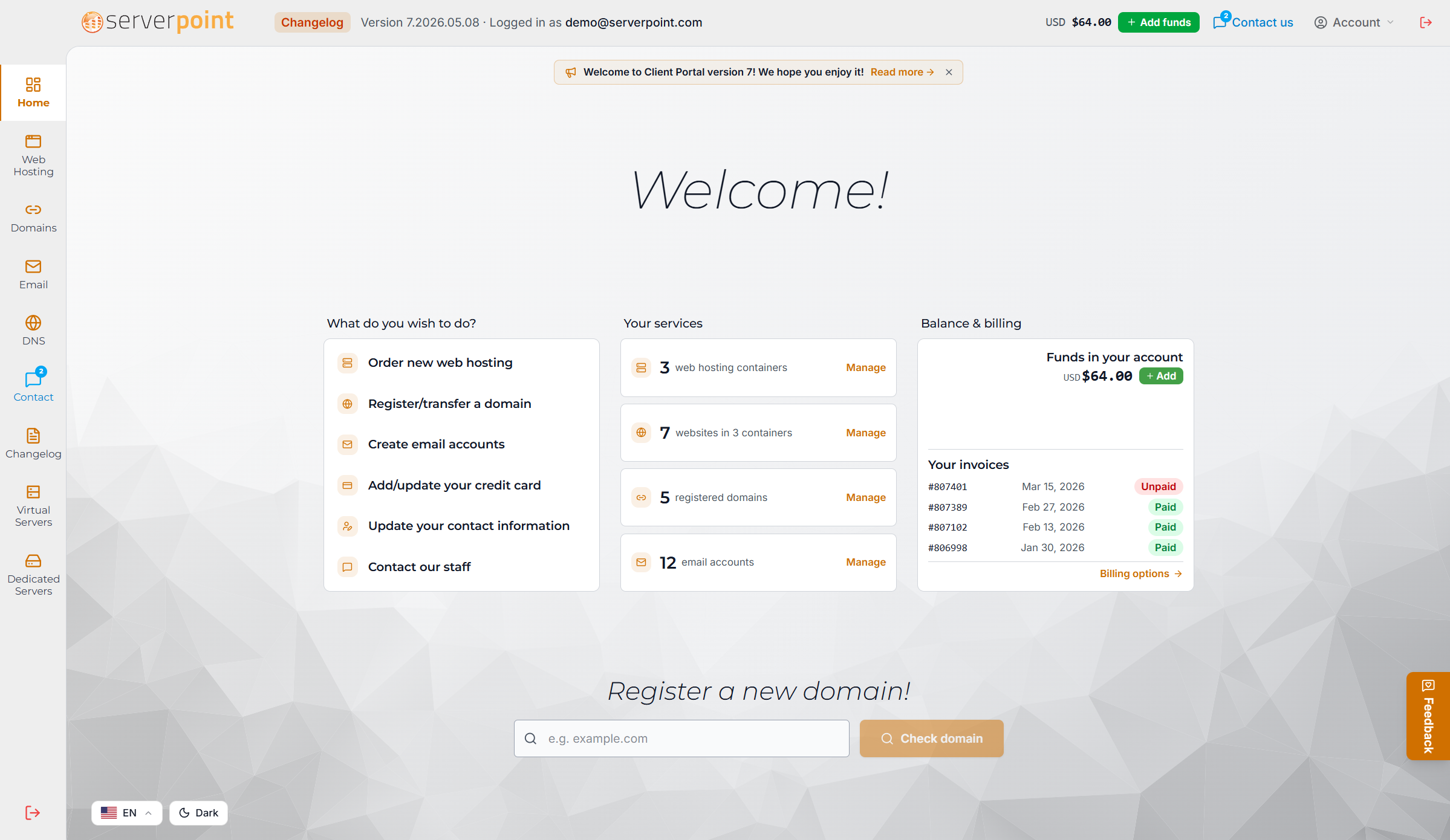
If you are already a customer, head to portal.aplushosting.com to sign in. If you are new, take a look at our hosting plans to get started.
Account and authentication
- Sign up for a new account with email verification
- Log in with email and password
- Recover a forgotten password by email
- Two-factor authentication for extra security
- Automatic inactivity timeout to protect your session on shared computers
- Profile page to update your name, contact information, and notification preferences
- Change your password from inside the portal
- Set your preferred language (English, Spanish, Portuguese, French, German, Dutch, Italian, Polish, Russian, Ukrainian, Turkish, Hindi, Indonesian, Vietnamese, Thai, Japanese, Korean, Simplified Chinese)
Home dashboard
- Overview of your active services across all products
- Upcoming invoices and renewal dates at a glance
- Quick links to recent support tickets
- Quick links to your most-used pages
- Live status of your hosting plans
Web hosting management
- List all your hosting plans in one place
- See each plan’s location, status, and resource usage at a glance
- Open a hosting plan to see its detail page
- Change your billing term (monthly, yearly, or longer terms) on any plan
- Place a new hosting order and pick the data center at order time
- Pick a one-click application to pre-install (WordPress, Joomla, Drupal, and more)
- Manage SSL certificates per website
- Look at backup history for your hosting plan
- View your websites, with status and traffic information per website (coming soon)
- Manage databases per hosting plan (coming soon)
- Upgrade your plan to a higher tier (coming soon)
Email management
- List all email accounts at your hosting plan
- Group email accounts by domain
- See feature badges for each account (Mailbox, Forwards, Aliases, Autoresponder)
- Create a new email account with a domain selector and availability check
- Set or change a mailbox password with strength hints and a password generator
- Disable a mailbox without deleting the account
- Add and remove email forwards
- Add and remove email aliases
- Set, edit, or remove an autoresponder with subject, message, and optional expiration date
- Configure a catch-all address for any domain
- Set a default forwarding address for a domain
- Webmail access (login links inside the portal)
- Delete an email account entirely from the danger zone
- List all your email-enabled domains in one place
Domain management
- List all your registered domains
- Renew a domain with a single click using saved payment methods
- Register a new domain with availability check
- Edit registrant, admin, technical, and billing contact information
- Update nameservers
- Enable or disable WHOIS privacy
- Set or change auto-renew on a domain
- See domain expiration tracking on every domain
- Transfer a domain to APlusHosting (coming soon)
- Bulk domain operations (coming soon)
Support tickets
- Open a new support ticket from inside the portal
- Pick a category (sales, technical, billing, general)
- Attach details about your hosting plan or domain
- Read replies from our team in a single thread
- Reply to an existing ticket without leaving the portal
- See the full history of every conversation you have had with us
- Notification badge when a staff reply is waiting
Billing and payments
- See every invoice, paid and unpaid
- Download a PDF copy of any invoice
- Manage saved credit and debit cards
- Manage other saved payment methods including PayPal and AliPay
- See your account balance
- Add funds to your account balance
- Pay an outstanding invoice with a saved card, account balance, PayPal, or AliPay
- See upcoming charges for the next 12 months
- See payment history with filters by date and product
Mobile apps
The Client Portal also runs as a native app on iOS and Android. The mobile apps include:
- Biometric login (Face ID, Touch ID, or fingerprint)
- Push notifications for ticket replies
- Push notifications for upcoming renewals
- Offline access to invoice downloads
- Native UI gestures and haptic feedback
The mobile apps are launching soon in the App Store and Google Play.
Security and account safety
- Password strength enforcement on every password change
- Optional two-factor authentication for an extra layer of safety
- Inactivity timeout that signs you out after a period of no activity
- Audit log of significant account changes (coming soon)
- Per-user subuser access with permission control (coming soon)
API access (coming soon)
We are building a public API that lets your AI agent manage your hosting account directly. Sign up for a new hosting plan, register a domain, configure email, deploy a WordPress install, all from a conversation with Claude, GPT, OpenClaw, or whatever agent you prefer. More details to come.
How to get started
- Existing customer: sign in at portal.aplushosting.com
- New customer: take a look at our hosting plans and place your first order
The portal will be your home from your first day with us.